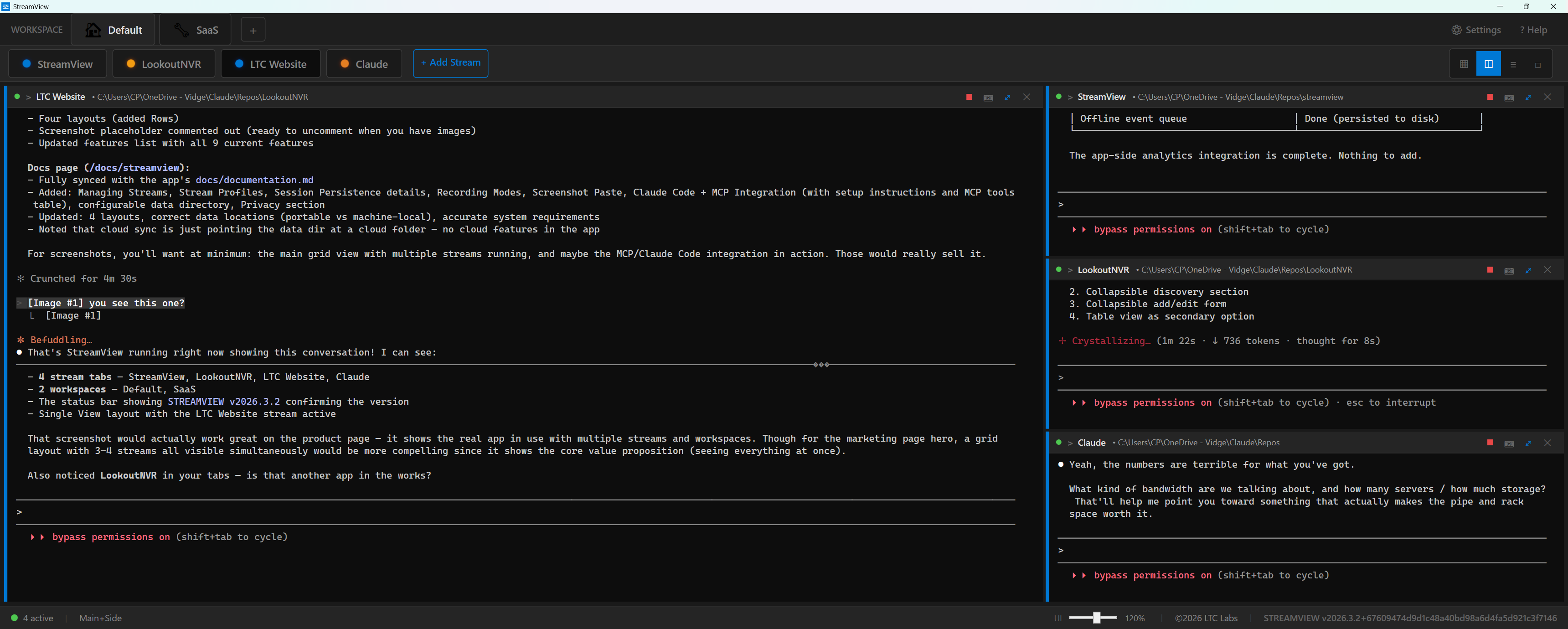
StreamView: Claude, Cursor, and Grok in One Window
StreamView is the Windows app that puts every AI coding session in its own real terminal pane. The first public builds already did the pane-per-repo job. 2026.8 and 2026.9 are the updates that make it safe to live in all day.
It is still Early Release, still free, still no account. It is on the Microsoft Store. More on the product page and in the docs.
Welcome is Claude, Cursor, or Grok
Three session buttons, then shells. Each AI session asks which folder. Recent repos sit on top after the first one. The pane is named after the folder, so four Claudes do not all say Claude Code.
Save & Close stays Claude-only. That LEFT-OFF prompt is Claude's dialect. Cursor and Grok get a real pane and the folder picker; they keep their own transcripts.
Skip-permissions is a checkbox in the stream editor, off by default, with the existing warning. Installs that still had the old seeded claude --dangerously-skip-permissions command are rewritten on launch.
The terminal keeps up with the TUI
A lot of this release is Grok and Claude drawing a full-screen UI and StreamView finally answering the questions those apps ask a terminal.
Selection in a spinner no longer vanishes on the next frame. Overlay cards keep their fill. Grok's input box and footer stay put while the conversation scrolls. Clicks reach the picker instead of starting a text selection. Shift+Tab, Ctrl+X, and Alt+Enter reach the pane instead of being swallowed by the window chrome.
Ctrl+Tab now works while a pane has focus. That was the whole point of Idle skipping, and it only fired when you were not actually in a terminal.
Clickable paths no longer run executables. A .exe, .bat, .cmd, or .ps1 printed in a pane is revealed in Explorer. Folders still open; documents still open in their app.
Play after a process exits no longer leaks a second terminal. Typing exit tears down the ConPTY.
Closing is no longer a trap
The title-bar X used to tear down every terminal on a single misclick. While streams are running, closing now asks, lists what is still live, and offers Save & Close first. Keep working is the default button.
Idle Claude panes write a checkpoint every 30 minutes, so an app left open for days is not a blank Resume banner after a crash. Session and template files write to a temp file and replace; a file that cannot be read is copied aside instead of being overwritten by an empty Default workspace.
Encrypted on this PC, transcribed on this PC
Environment variables on a stream (KEY=VALUE in the editor) are stored with Windows DPAPI for this user. A token on a LookoutNVR profile is not plaintext in custom-profiles.json, including a OneDrive copy. Another PC cannot decrypt them. This is not a vault against software running as you.
Voice input is off by default. Hold the microphone button or Ctrl+Shift+M and the audio is transcribed on your machine with Whisper. It is never uploaded. The text is typed into the pane, never submitted, because speech recognition mishears and these panes run agents.
The full policy, which the Store listing points at: StreamView privacy. Field-by-field telemetry: Telemetry.
Chrome you can actually read
Light theme has its own palette. Tabs are larger on a desk monitor. First-run auto-scale is 130% on wide displays. The star lives on the pane, not lost in a strip of tiny tabs. F11 is the only fullscreen toggle; Ctrl+Enter is Claude's newline, not ours.
What to do
If you already have StreamView, take the 2026.9 update. If you do not, get it from the Microsoft Store. Rough edges still exist. Help → Contact Support in the app files a ticket with the log attached.
Changelog source of truth lives in the StreamView repo. This post is the human version of 2026.8 and 2026.9.
StreamView is one of the free tools we build at LTC Labs. The rest of the time we modernize and rebuild business software →