Rootmap Since the Store Launch: Videos on the Map
The first Microsoft Store build of Rootmap was v2026.6.7. That was the version that put your stills on a map and kept the work on your PC. The current Store build is the one we have been using on our own libraries since then. This is what changed, and why.
If you already have it installed, the Store will offer the update. If you do not: Rootmap on the Microsoft Store. It is free, Windows 10 and 11, no account.
Videos actually work
Stills were always the point. Video was the thing people asked for and then had to wait on a sidecar install for. That is gone.
Videos now index out of the box: thumbnail, date, duration, and a map pin if the file has GPS. No extra codec pack, no helper download. If you already scanned a library before this landed, Rootmap repairs those entries in the background. You do not start over.
The map tells the truth
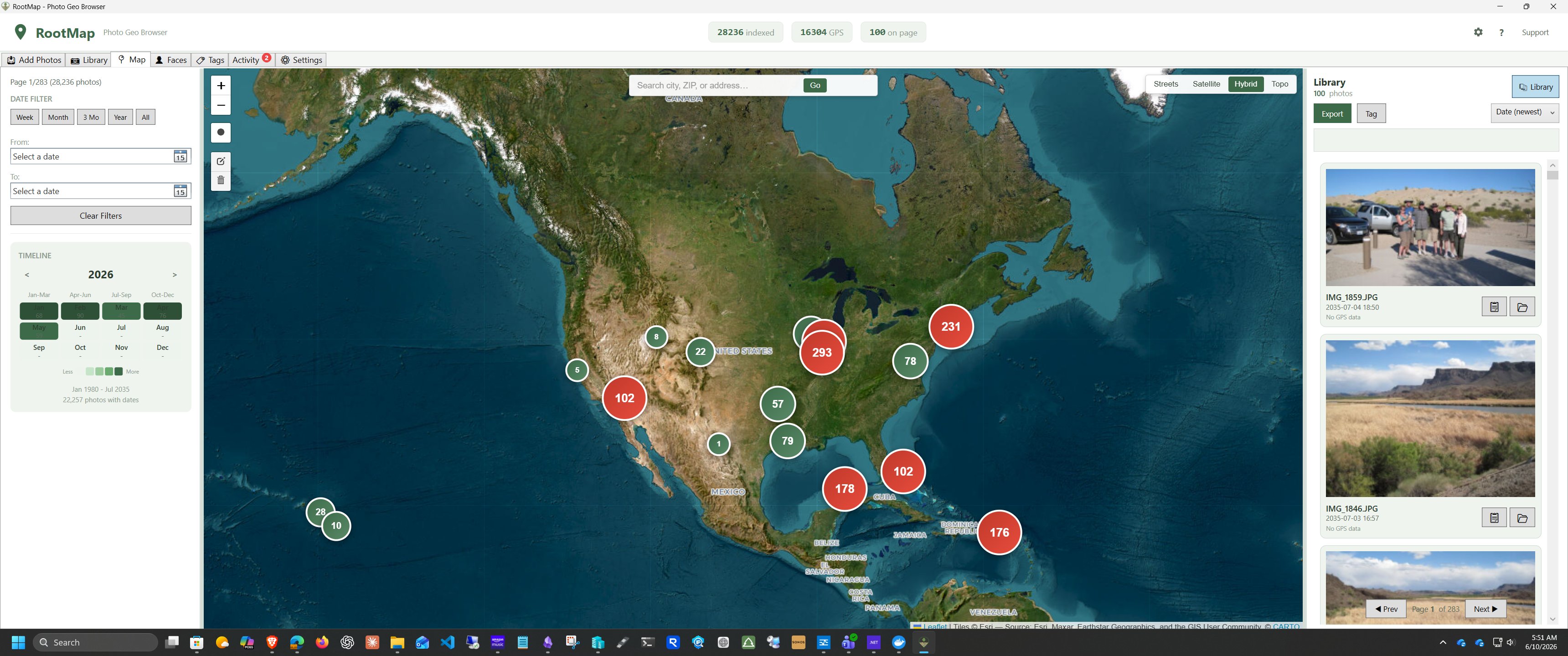
The first scan now opens on the Map. That is the view the product is for.
If nothing in the folder has GPS, the Map says so instead of rendering an empty globe that looks broken. Empty coordinates no longer drop a pin in the ocean. Show on Map, from the Library, jumps to that photo instead of making you hunt.
Map scripts ship inside the app, so a missing network file cannot blank the tiles. Hover previews follow dark mode and no longer stick on screen. While a scan is running, pins fill in as they are found rather than appearing in one lump at the end.
A library that survives real disks
USB drives get unplugged. Network shares go to sleep. The old wording treated that as "missing," which made it far too easy to offer a delete. Unplugged drives are offline. We will not offer to delete them.
Folder exclusions had a path that could empty the index if you got the checkbox wrong. That path is closed. Backups write one verified database file, not a pile of parts you have to trust. Sync With Disk adds files that showed up on disk and drops ones you deleted; offline folders are left alone, which is the whole point of calling them offline.
Dates that are not science fiction
A bad EXIF date used to sort a photo into 2035 and park it at the top of the list. Those are gone. Empty GPS is empty, not a pin at 0,0.
When the file has no date in metadata, Rootmap recovers one from the filename if it looks like a date. Scans themselves are one pass now, not twenty-eight. On a large library that is the difference between going to make coffee and going to bed.
Faces: merge means merge
Merge duplicates now actually clears the queue. Deleted people stay deleted instead of wandering back in on the next pass. Offline files are retried later; they are not marked done just because the drive was not plugged in.
Face detection is still on-device. Nothing about this update sends a photo anywhere.
What to do
Update from the Store if you already have Rootmap. Point it at the same folders. Videos should appear without a rescan of the world, the map should fill while it works, and an unplugged backup drive should sit there quietly as offline.
If something in your library still looks wrong after the background repair finishes, tell us. We run this on our own photos, but yours is the library that matters.
More on what Rootmap is for: the product page and the docs.
RootMap is one of the free tools we build at LTC Labs. The rest of the time we modernize and rebuild business software →