Ship Small, Ship Sharp: What BranchOut and StreamView Taught Us
At LTC Labs we ship a lot of small software. Not one big flagship, but a shelf of focused tools, each built to kill one specific annoyance. Two of them make a good story about how we decide what to build, because they came from opposite directions and landed in the same place: free, on Windows, and dead simple.
BranchOut: a boring problem nobody had fixed
Windows will only play audio through one speaker at a time. Want music in the kitchen and the living room? Your options were a $500 to $2,000 Sonos setup or a virtual-audio-cable rig that basically requires a computer science degree.
That's the whole pitch for BranchOut Audio: check the boxes for the speakers you want, click Start, done. Your music now plays on every output Windows can see: USB, Bluetooth, HDMI, whatever's plugged in.
There was nothing clever about the idea. The problem had existed for years. What was missing was someone willing to build the simple version, with no subscriptions, no hardware, and no manual. So we did.
"We use BranchOut to run background music in our coffee shop. Cost us $30 in USB speakers instead of $800 for a Sonos system."
StreamView: scratching our own itch
BranchOut solved someone else's problem. StreamView solved ours.
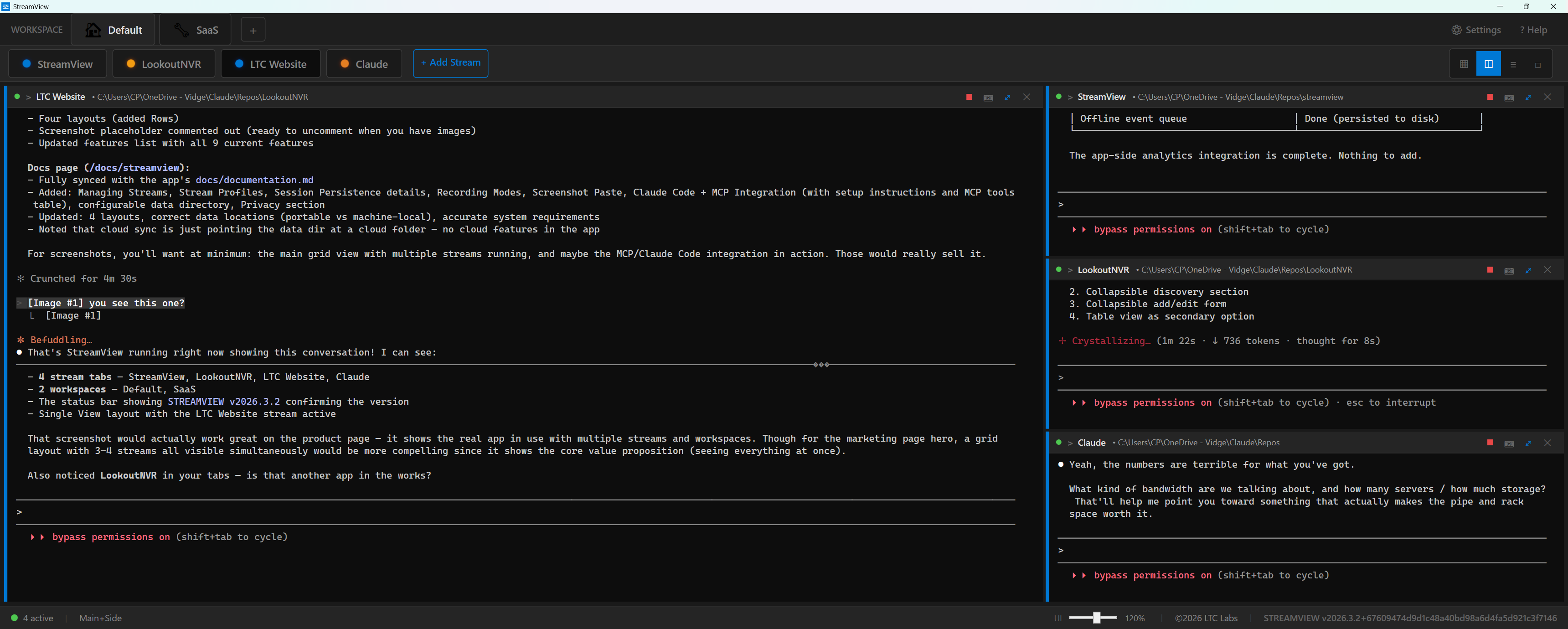
Modern development means running a pile of terminals at once, and now several AI coding sessions on top of them, each in a different repo. You end up buried in tabs, alt-tabbing forever, and missing the one session that finished or stalled in a background window.
StreamView puts every session in its own real Windows terminal pane, side by side in one window. The Welcome screen starts Claude, Cursor, or Grok and asks which folder, so each pane is named after its repo. Paste a screenshot into a pane with one shortcut. Save & Close has Claude write down where it left off, so you can resume tomorrow instead of re-explaining. We built it because we needed it, then realized every developer we know has the same tab-overload problem.
The one rule both apps followed
Two different origins, same discipline:
- One problem, stated in a sentence. If we can't say what it fixes in one line, it's not ready to build.
- The simplest version that actually works. No settings maze. BranchOut is "check a box." StreamView is "pick a folder."
- Free on Windows, easy to get. Both are on the Microsoft Store. Distribution is part of the product, not an afterthought.
- Ship, then listen. Real usage tells you what to build next far better than a roadmap written in a vacuum.
Here's how that looks side by side:
| BranchOut Audio | StreamView | |
|---|---|---|
| Who it's for | Anyone with speakers | Developers running AI coding sessions |
| The annoyance | One-speaker-at-a-time audio | Terminal and session tab overload |
| Setup time | About 2 minutes | Pick a folder, start a session |
| Price | Free | Free |
| Status | On the Microsoft Store | On the Microsoft Store |
Why we work this way
Small, sharp tools are honest. They either solve your problem in the first two minutes or they don't, and that keeps us honest too. It's also how a small team ships real software often instead of one big thing rarely.
More of these are on the way. If there's a small Windows annoyance you'd pay nothing to make disappear, that's exactly the kind of thing we like to build. Tell us about it.